RDRDIGITAL

Premium Pool CoversA service website organized around the customer’s situation.

Premium Pool Covers installs, repairs, and maintains automatic pool covers across six states in the Northeast of the United States. We designed and built a website that gives each situation, a new pool, a stuck cover, or a yearly plan, a short route to the right form.

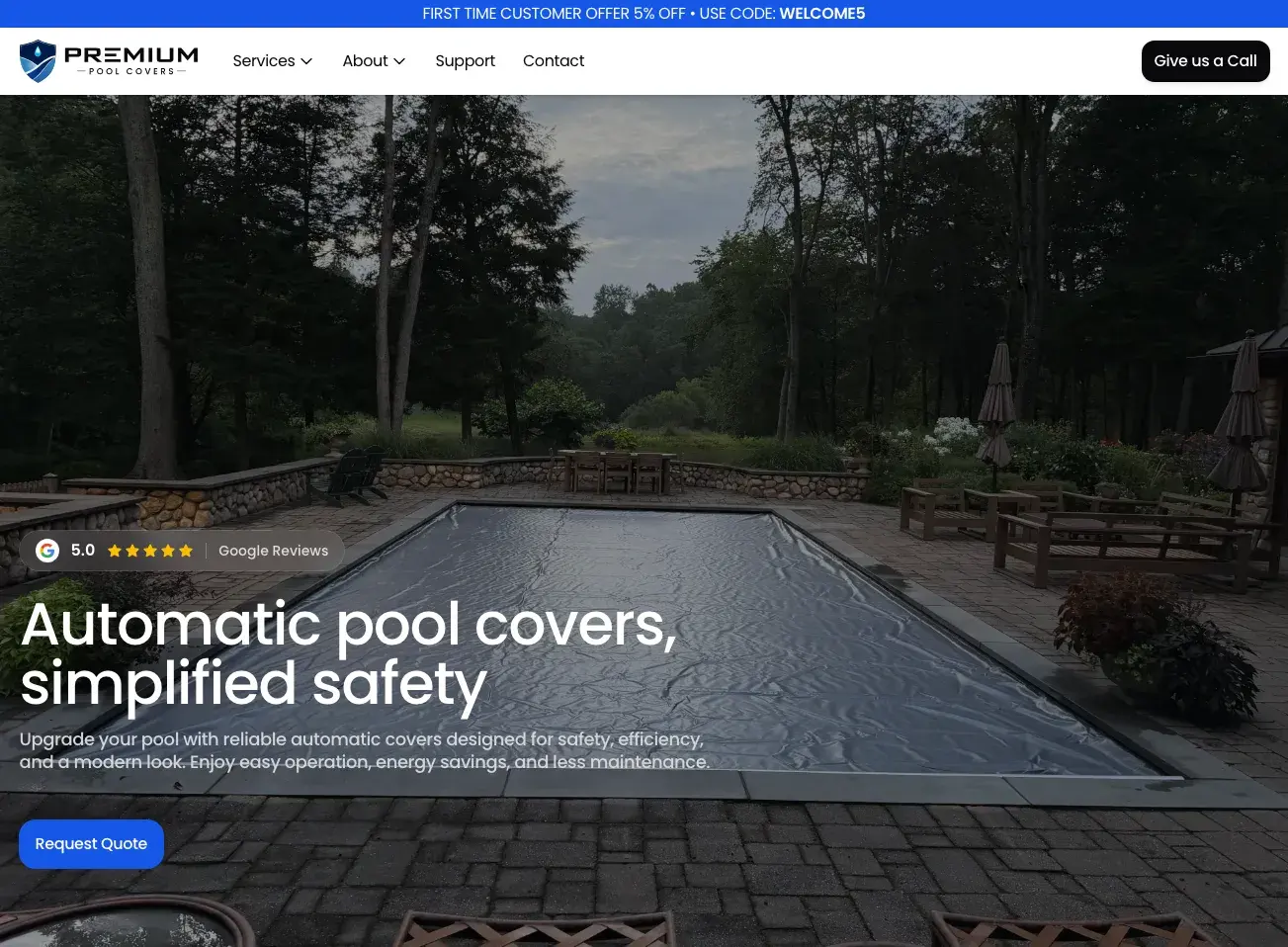
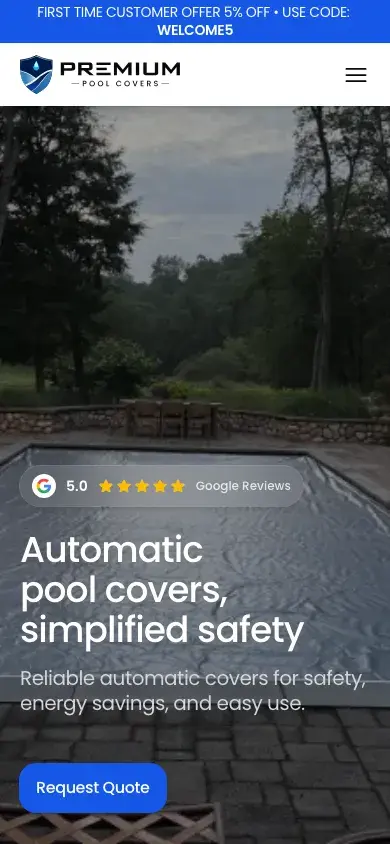
Premium Pool Covers homepage with a covered pool and the Request Quote button
Client
Premium Pool Covers
Location
Connecticut, United States
Sector
Pool cover installation and service
Our role
Design and development
Service area
Six states in the Northeast

Three kinds of visitor, one phone line.

Some visitors are planning a new pool, some have a cover that has stopped halfway across the water, and some want a yearly plan so it does not happen again. Each needs a different answer, and none of them should have to call just to find out which service to ask for.

Six states

Connecticut, New York, New Jersey, Massachusetts, Rhode Island, and New Hampshire, with response times that depend on the drive.

Planned and urgent work

Weekday appointments, and same-day emergency service on Saturdays and Sundays.

Plans with fine print

Two yearly plans and two per-visit services, each with its own inclusions and exclusions.

Three rules for every screen

Route by situation

Installation, repair, and maintenance each have their own path from the homepage.

Help before the call

A customer with a stuck cover gets safe checks first, then a booking.

Carry the choice forward

A plan or an offer chosen on one page arrives already filled in on the form.

The decisions behind the service

Four choices shaped how customers reach the right service. For each one, what we chose, the usual alternative, and what it cost.

Carry the chosen plan into the form

The services page lists two yearly plans and two per-visit services with what each includes and excludes. Get started opens the scheduling form with that service already selected and its details repeated beside the fields, so the customer can check what they are booking while they type.

Usual approach
A general contact form where the customer describes the plan in their own words.
Trade-off
Every plan exists in two places, the services page and the form, so adding a plan means changing both.
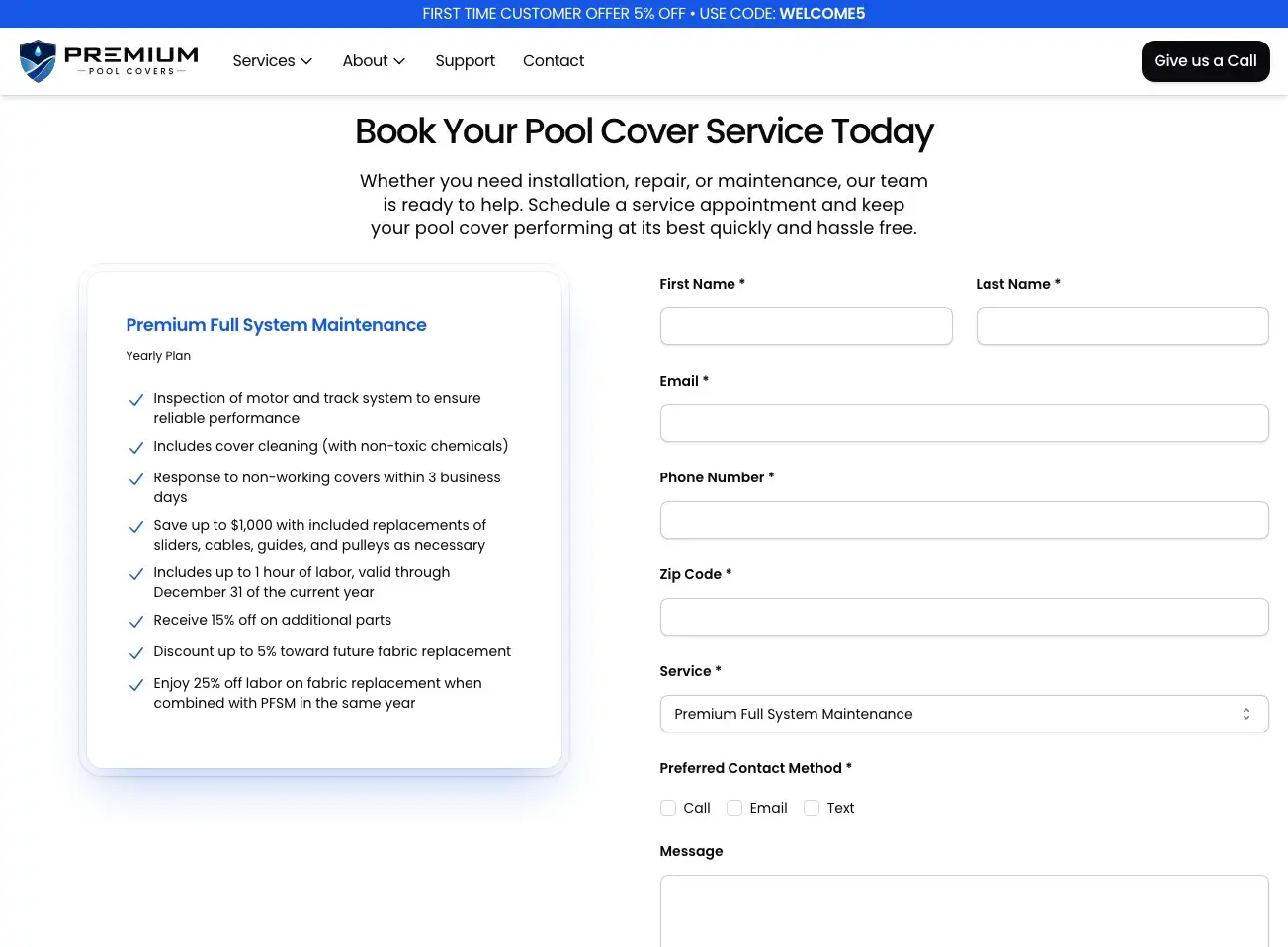
Scheduling form with Premium Full System Maintenance selected and its inclusions beside the fields
  1. The chosen plan is repeated beside the form, with everything it includes.
  2. Service arrives already set to that plan.
  3. The customer chooses whether to be called, emailed, or texted.
  4. Give us a Call stays in the header on every page.
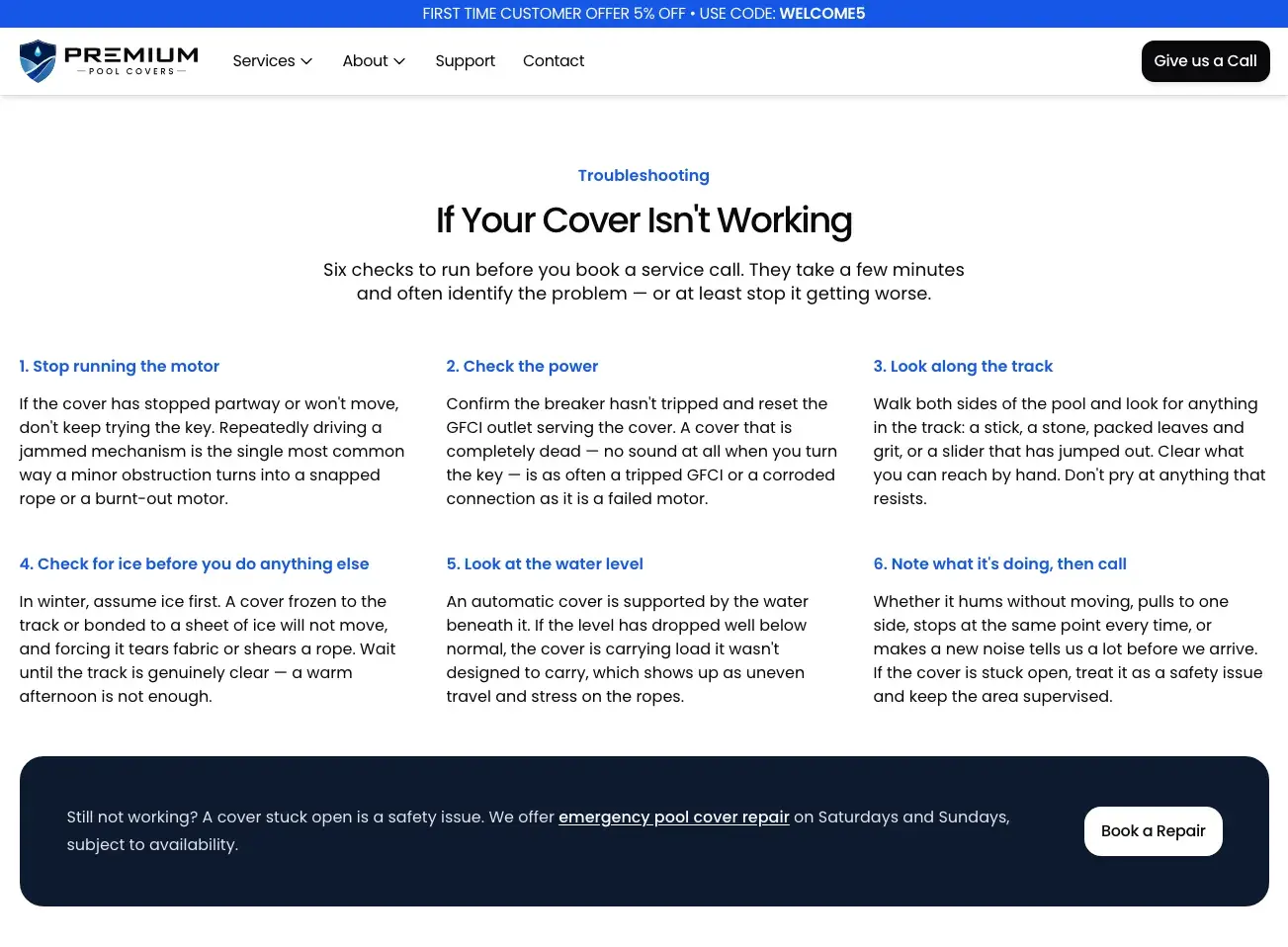
Answer the stuck cover before the call

A cover stuck open is a safety issue, and many stops have simple causes. The support page leads with six numbered checks, from stopping the motor to checking for ice, and ends with a route to weekend emergency repair.

Usual approach
A phone number and an invitation to call for repairs.
Trade-off
More reading before the booking button. Customers in a hurry can still call from the header on every page.
Support page with six numbered troubleshooting checks and a Book a Repair button
  1. Six numbered checks, in the order to run them.
  2. Seasonal causes are named, such as ice in winter.
  3. If the checks do not help, weekend emergency repair is one button away.

Give each state its own page

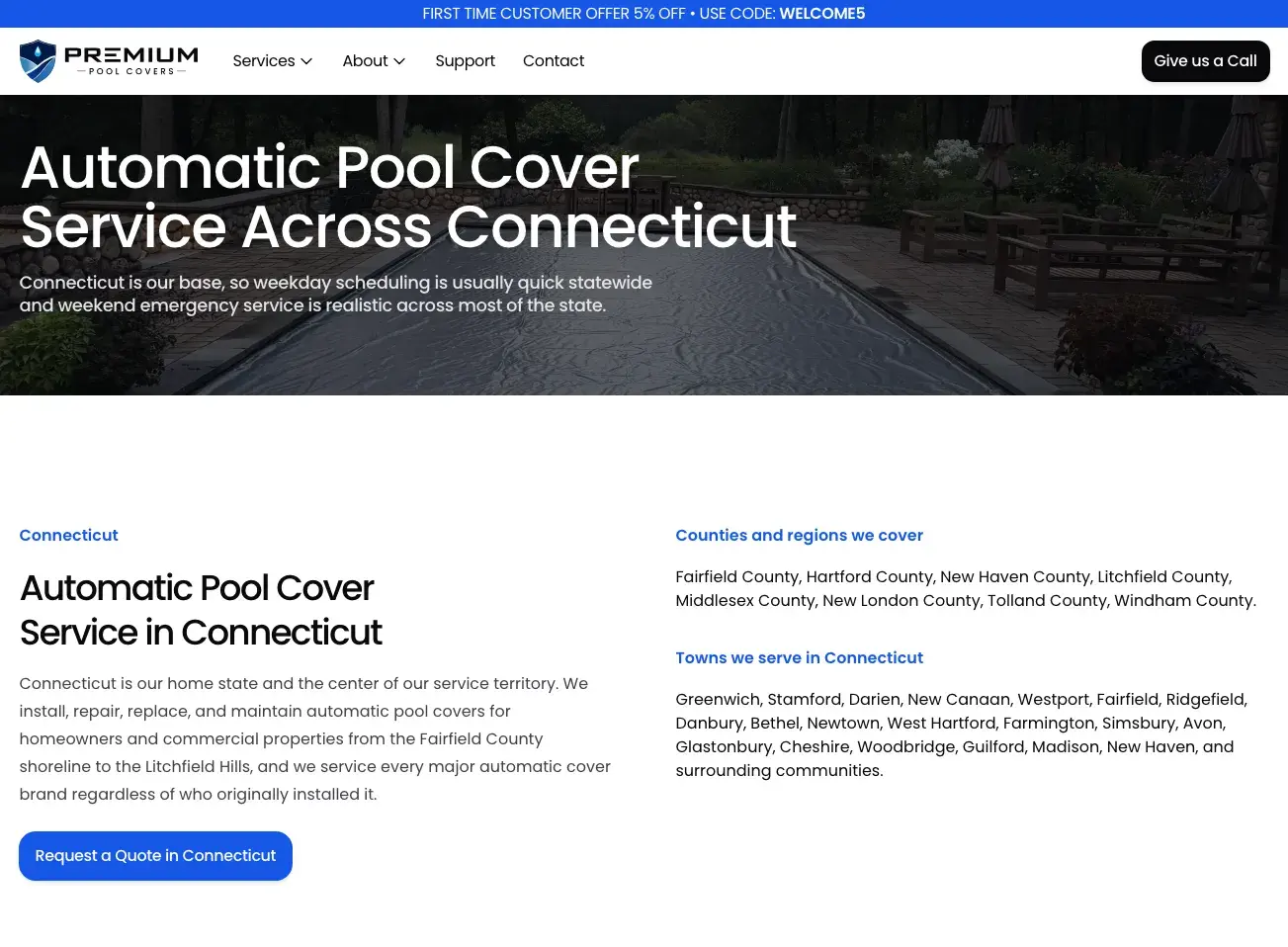
The service area spans six states, and response times differ with driving distance. Each state has its own page with the counties and towns covered and the local conditions that affect a cover, such as salt air on the Connecticut shoreline.

Usual approach
A list of states in the footer.
Trade-off
Six pages to keep accurate, each with its own copy rather than a template with the state name swapped.
Connecticut service area page with the counties and towns served
  1. What to expect in this state, stated first.
  2. Each state has its own page and heading.
  3. Counties and towns are listed by name.
  4. The quote button names the state.

Carry the offer code to the form

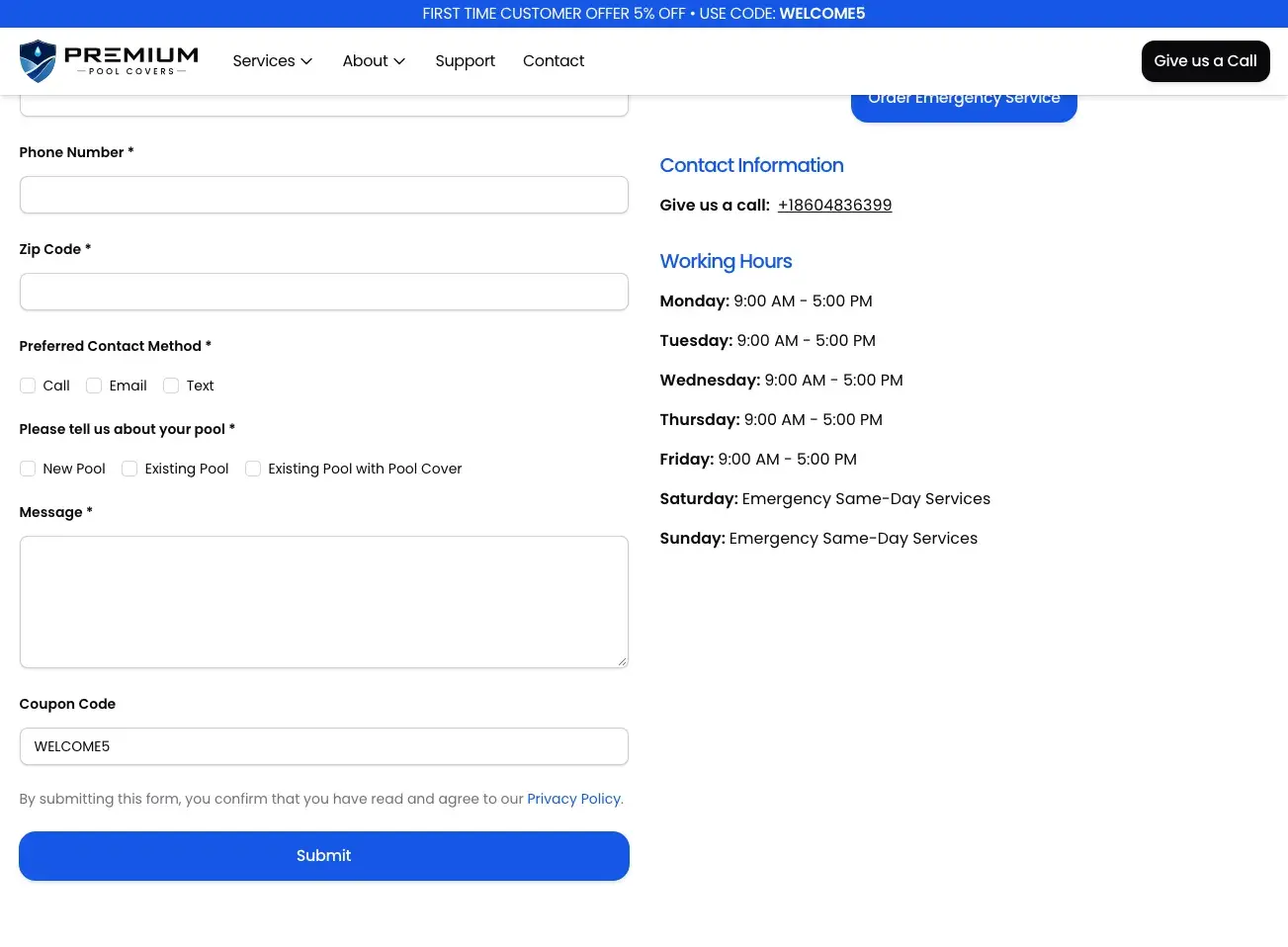
A first-time offer runs across the top of every page. Selecting it opens the contact form with the WELCOME5 code already filled in, so a new customer does not have to remember it. The same form asks whether the pool is new, existing, or already has a cover.

Usual approach
Show the code and leave the customer to type it in later.
Trade-off
The banner takes space at the top of every page for as long as the offer runs.
Contact form with the WELCOME5 coupon code already filled in
  1. The offer runs across the top of every page.
  2. The form asks about the pool: new, existing, or already covered.
  3. The code arrives already filled in.
  4. Weekday hours and weekend emergency service sit beside the form.

Designed in Premium’s own colors

One strong blue for every action, a deep navy for the hero bands and the footer, and white space between. Rounded cards hold plans and services, so each offer reads as a single unit with its own button.

Color

  • Premium blue#1657E8
  • Navy#0E1A30
  • Ink#09090B
  • White#FFFFFF

Type

Everything is set in Poppins. Medium weight for headings, regular for text, and the blue for labels that name a section.

Components

One card for every plan: name in blue, the billing period, a checklist of what is included, and one button that opens the form.

The finished journey, screen by screen

These are the actual screens from the live website. Select a step to see it.

Premium Pool Covers homepage with a covered pool and the Request Quote button

Screen from the live website.

View full-size screen (opens in a new tab)

Built for how Premium works

The details that do not show in a screenshot, but decide whether a request reaches the right technician.

Choices in the address
Get started links carry the plan in the URL, and the offer link carries the code, so each form opens filled in and the link can be shared.
Structured data for local search
Pages describe the business, its location, and the page’s place in the site in structured data that search engines read.
A gallery that explains
Every photograph has a caption that says what it shows, such as which guide system is installed and why.
Hours on every page
Weekday hours and weekend emergency service are in the footer of every page, beside the phone number.

What Premium can do now

Receive the right request

Bookings arrive with the plan, the pool type, the zip code, and how the customer wants to be contacted.

Help before a visit

Customers with a stuck cover have safe checks to run while they wait.

Reach all six states

Each state has a page written for the towns and conditions there.

Our role

  • Website design
  • Service and booking flows
  • Local service pages
  • Web development

Something similar in mind?

Tell us what your customers need to do. We’ll help you work out how the website can make it easier.