RDR DIGITAL home

VeloraEvery sale in one place, read for any period.

An internal sales app for a home textile manufacturer that sells locally, to retail chains, and for export. We designed and built it: one catalogue that sets every price, one form for every sale, and a dashboard that answers how the business is doing for any channel and period.

Velora dashboard with last month's revenue, sales, and pieces sold, a daily revenue chart, and a category breakdown
Client
Name withheld
Sector
Home textile manufacturing
Product
Internal sales app
Our role
Design and development
Language
Albanian
Access
Four roles

Three ways of selling, one set of numbers.

The manufacturer sells from its own shop, to named retail chains and markets, and abroad to buyers in several countries. Several people record those sales, and the owner needs to know, for any week or month, what came in, through which channel, and which products sold. The app had to make recording a sale quick and hard to get wrong, and make the numbers readable without a spreadsheet.

Three channels

Local sales, sales to a named market, and export sales to a country each keep their own list, and the dashboard reads them together or apart.

Three ways to price

Carpets are sold by the square meter, some textiles by the meter, and the rest by the piece.

Four roles

An administrator, managers, sales representatives who see only their own sales, and an auditor who can read everything and change nothing.

Three rules for every screen

The catalogue sets the price

A sale is built from the catalogue, so nobody types a price by hand.

Every figure has a comparison

A total is shown beside the same span of time before it.

Nothing is lost by mistake

Deleted records wait in a trash for 30 days, and changes are kept in a history.

The decisions behind the ledger

Four choices shaped how the team records sales and reads them back, each shown on the screen it shaped.

One dashboard for every channel

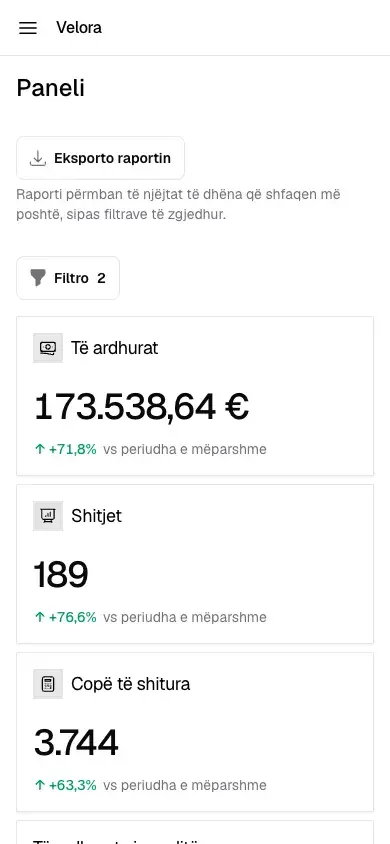
The dashboard opens on three totals: revenue, number of sales, and pieces sold. A channel switch reads local, market, or export sales, or all three, and quick periods such as the last month sit beside a date range. Each total is compared with the period of the same length before it, and the breakdown ranks categories or models by revenue or pieces.
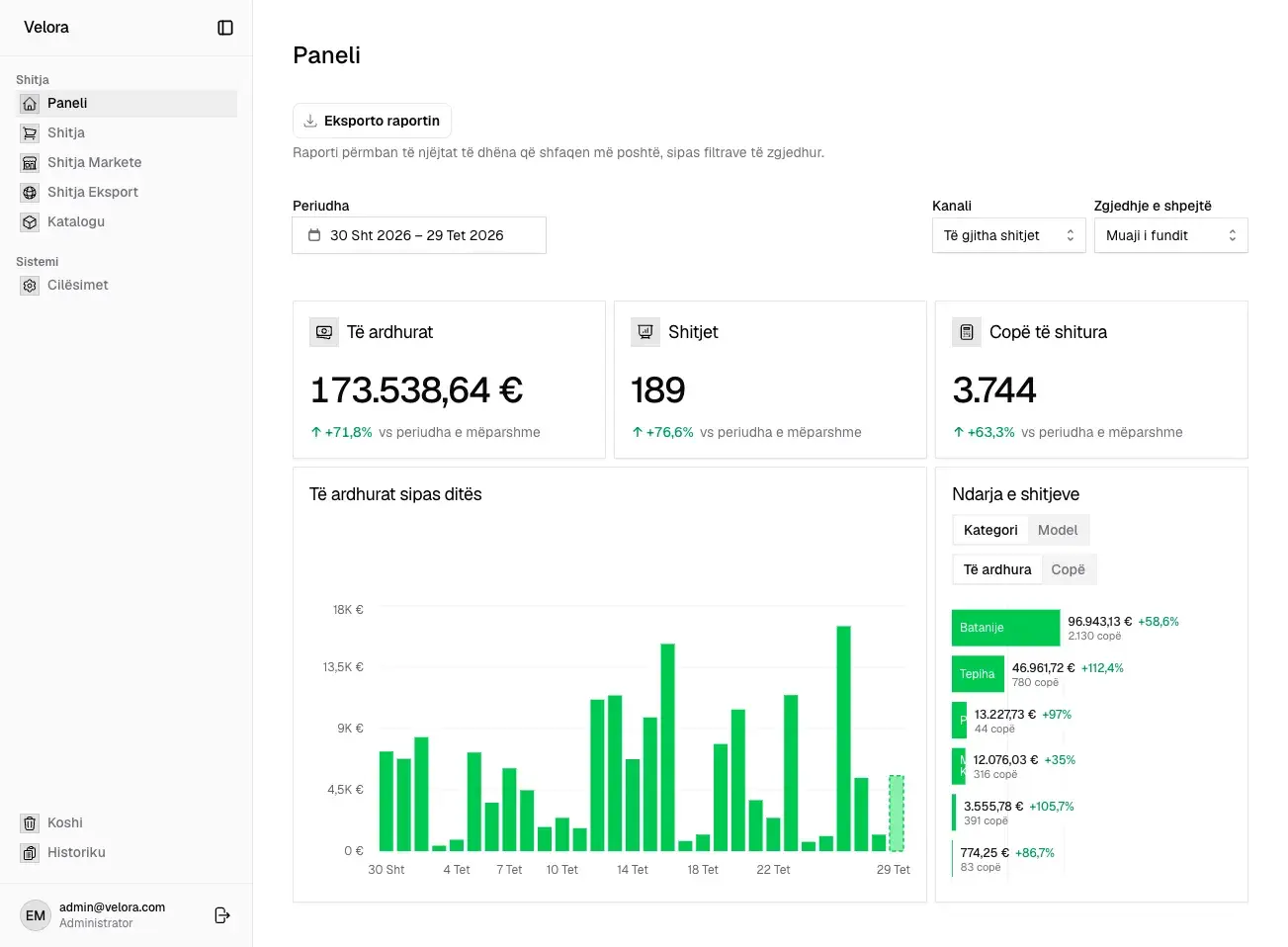
Velora dashboard for the last month across all channels, with revenue, sales, pieces sold, a daily revenue chart, and a category breakdown
  1. Channel and period sit together: all channels over the last month.
  2. Each total is compared with the same span before it.
  3. Categories ranked by revenue, or switched to models or pieces.
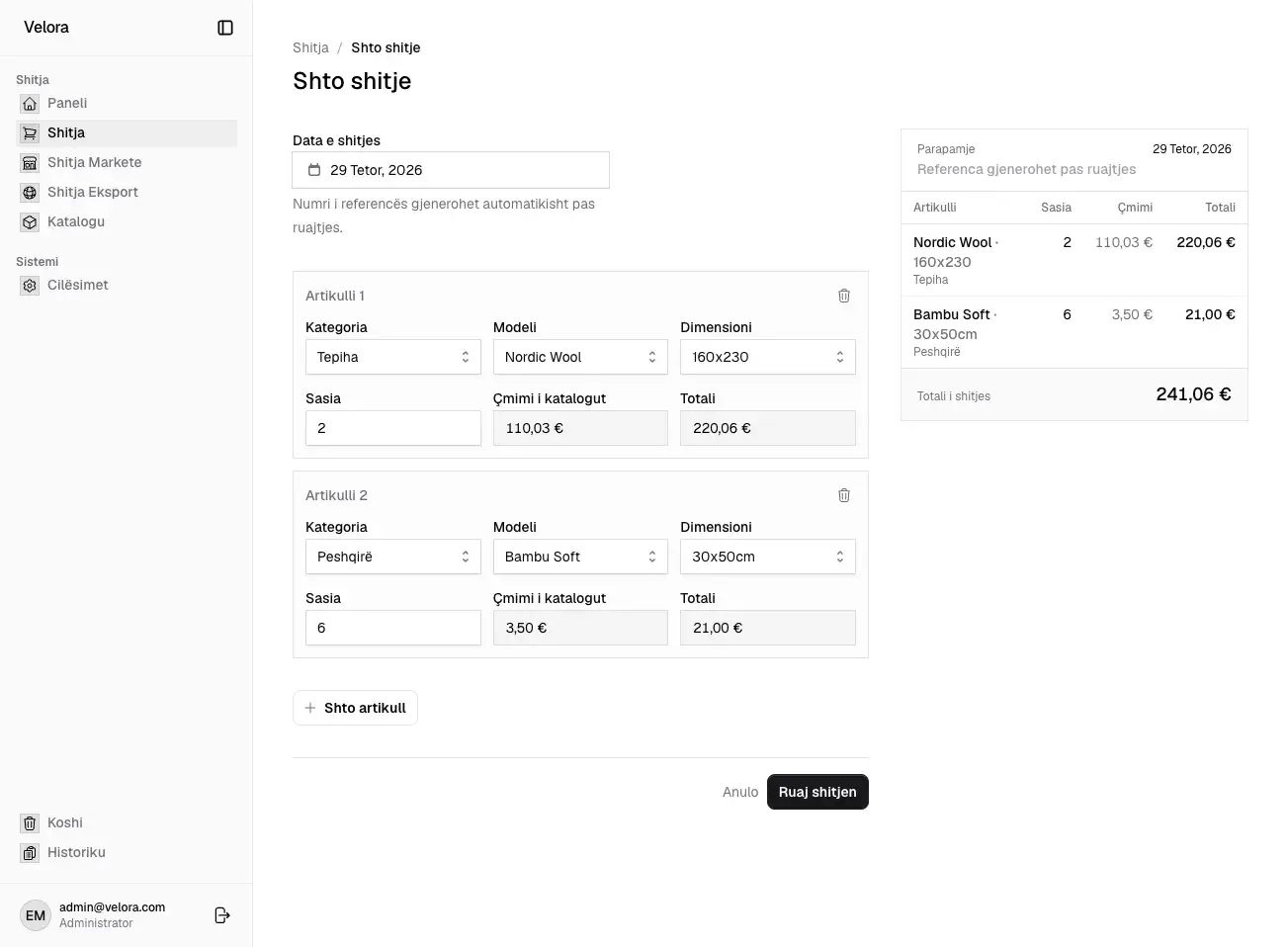
Build every sale from the catalogue

A sale is a list of lines. For each one the seller picks a category, a model, and a size, and enters a quantity. The price comes from the catalogue, worked out from the model’s price per square meter and the size, and a preview of the invoice updates beside the form. The reference number is assigned when the sale is saved.

Velora form for a new sale with two lines, a carpet and a towel, and an invoice preview on the right
  1. Each line is a category, a model, and a size, picked in that order.
  2. The catalogue price is filled in, not typed: 29,90 € per m² for a 160x230 carpet.
  3. The invoice preview updates as lines are added.

Rank categories, then open them into models

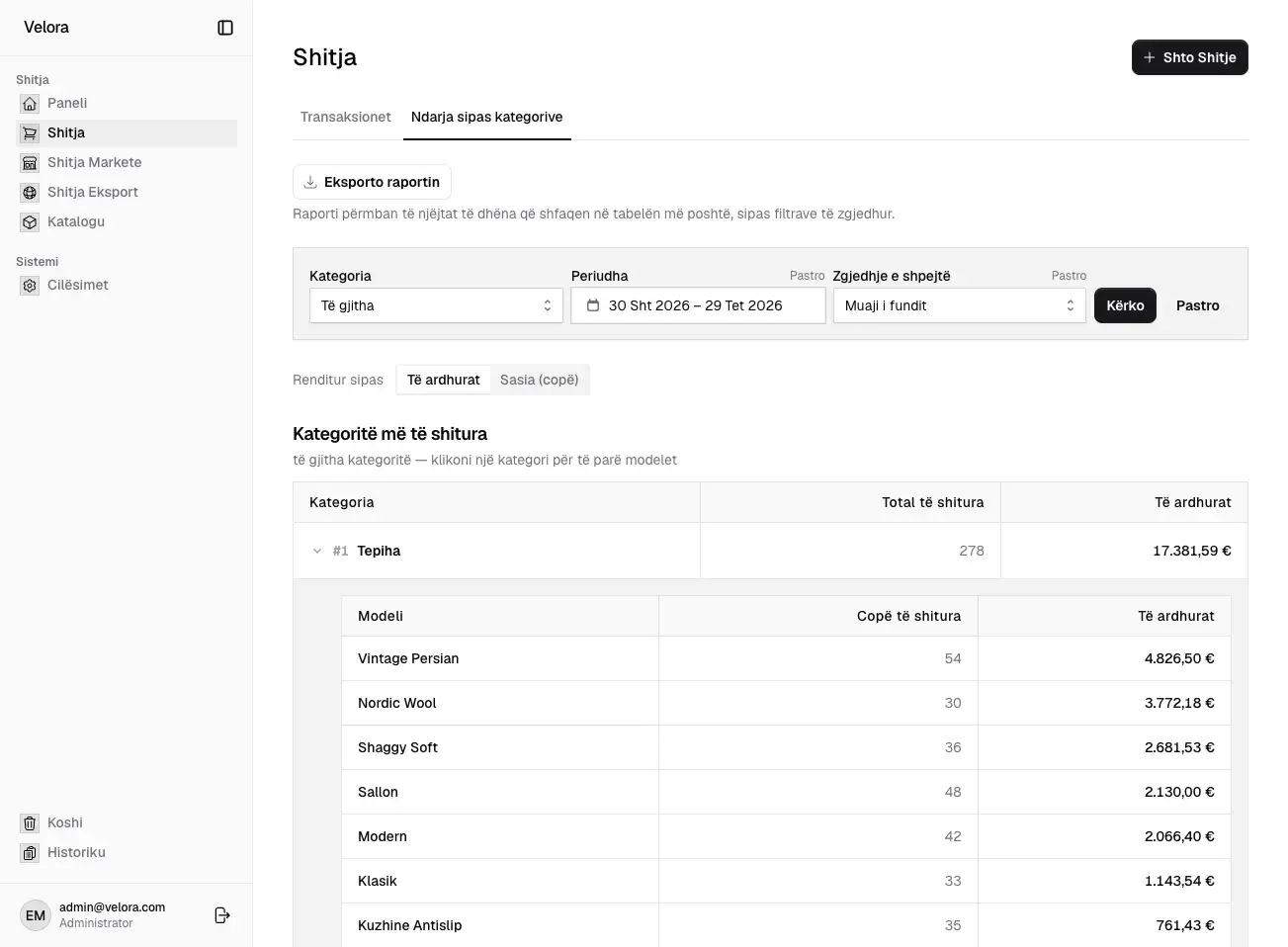
The most common question is what sold. Each sales list has a breakdown tab that ranks categories for the chosen period, and a category opens into its models in the same table. The ranking switches between revenue and pieces sold, and the same view exports as a spreadsheet with the filters in place.

Velora sales breakdown for the last month, with carpets ranked first and opened into seven models
  1. The export holds what the table shows, with the same filters.
  2. Rank by revenue or by pieces sold.
  3. A category opens into its models, ranked the same way.

Price each category the way it is sold

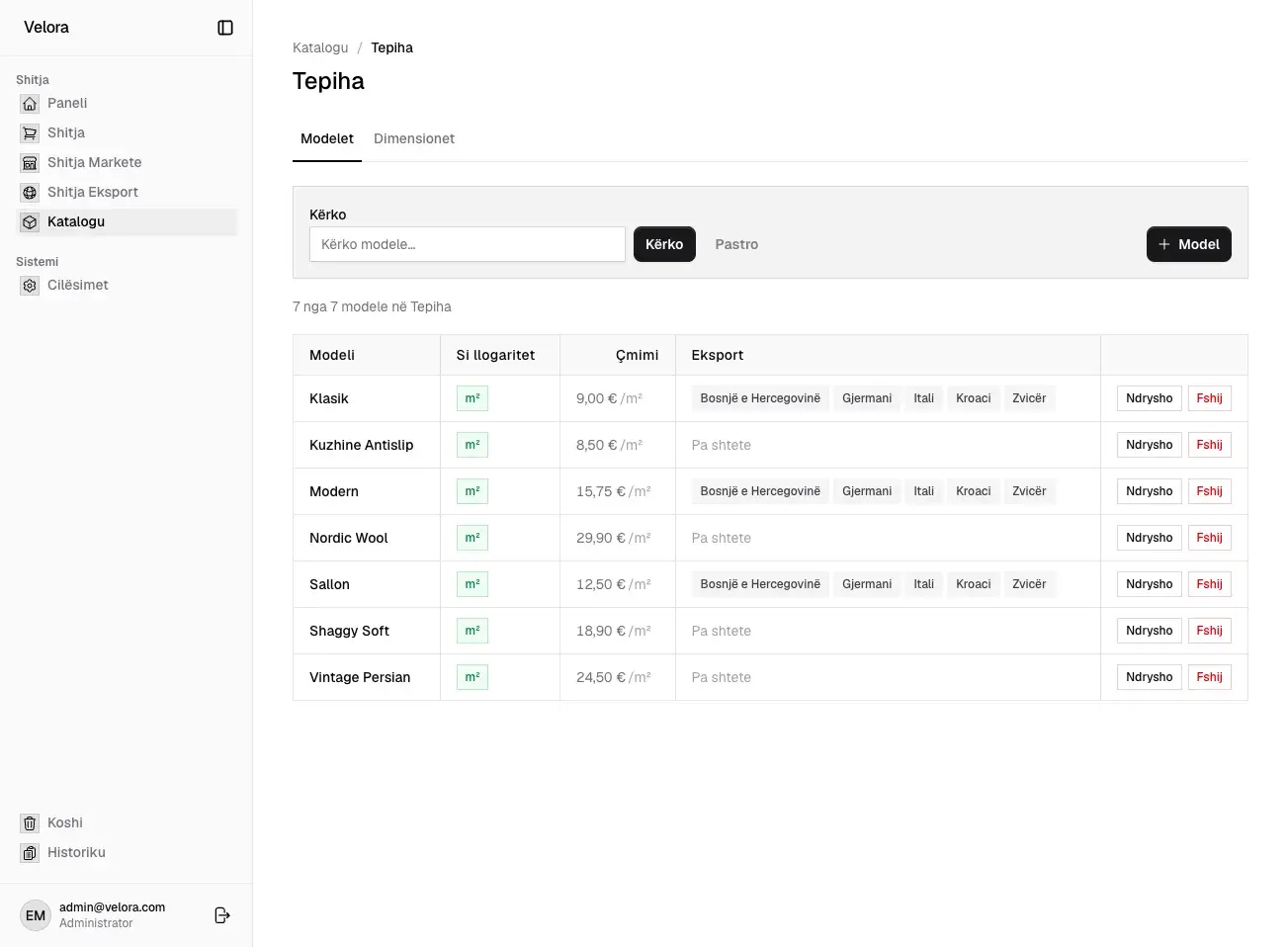
Carpets are priced per square meter, so one model price covers every size. Other categories are priced per piece or per meter. The catalogue sets the pricing method for each category, a price for each model, and the countries each model can be exported to.

Velora catalogue for carpets, with seven models priced per square meter and their export countries
  1. Carpets are priced per square meter.
  2. Models are searched and added inside their category.
  3. Each model lists the countries it is exported to.

A quiet interface for daily work

The app is used all day by the same people, so it stays out of the way: white and near-black, a light grey sidebar, and one green for charts, selection, and growth. Tables and forms share one square, bordered style, so a list of sales and a new sale look like the same document.

Color

  • Green#00C950
  • Ink#18181B
  • Sidebar#FAFAFA
  • White#FFFFFF

Type

Everything is set in Geist, in a few sizes. Large figures on the dashboard use the same face as the tables, so a total reads like the sum of the rows below it.

Components

Square, bordered controls with labels above them. The primary action is near-black; green is kept for data.

The finished journey, screen by screen

These are the actual screens of the app, shown with demo data under the stand-in name Velora. Select a step to see it.

Velora dashboard for the last month across all channels

Screen from the app, with demo data.

Built for the people who use it every day

The details that do not show in a screenshot, but decide whether the numbers can be trusted.

Access enforced by the database
Roles are checked by row-level security, not only hidden in the interface. A sales representative’s account can read only the sales it recorded.
A trash and a history
Anything deleted can be restored for 30 days, and the history lists who did what and when.
The seller’s name is kept
Each sale stores the seller’s name as it was on the day, so renaming an account does not rewrite past sales.
Days end at the factory’s midnight
Every period is cut in the factory’s own time zone, so the screen and the exported spreadsheet always count the same days.

What the team can do now

Read any period

Pick a channel and a period and see the totals beside the period before.

Record a sale without a price list

Prices come from the catalogue, whatever the size or unit.

Give everyone the right access

Four roles decide who records, edits, and only reads.

Our role

  • Product design
  • Web app development
  • Dashboards and reporting
  • Access control

Something similar in mind?

Tell us what your customers need to do. We’ll help you work out how the website can make it easier.